🧠 Learning on XVH
Writing tasks
How to write and send your work to your teacher.
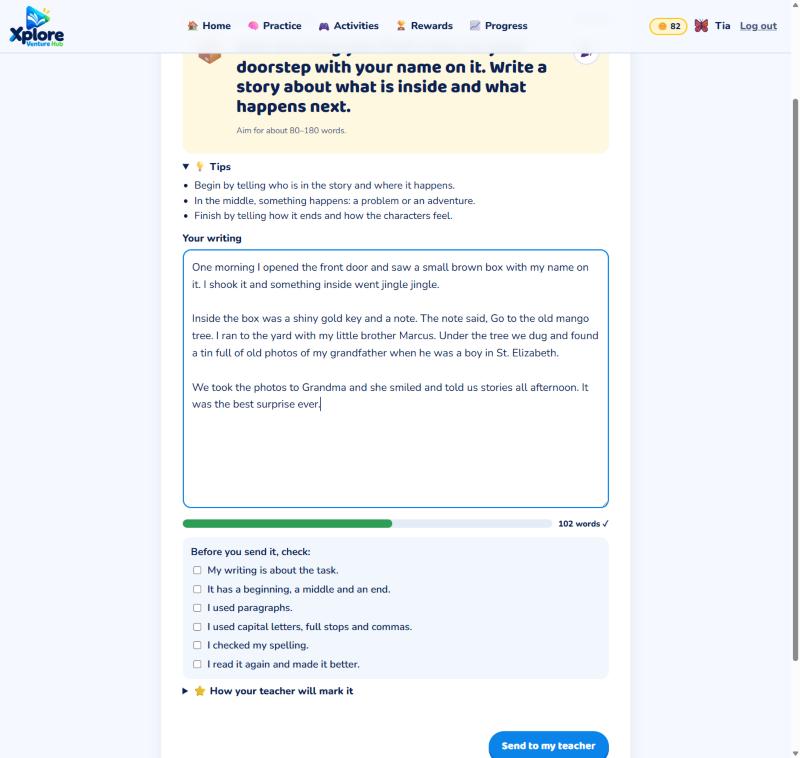
- Read the task and the 💡 tips.
- Write in the big box. The bar turns green when you've written enough words.
- Read your writing again and tick the checklist.
- Press Send to my teacher.
Your teacher gives you marks and a comment. If they ask for a redraft, open the task again, make your writing even better, and send it back.
See all your writing on ✍️ My writing.