
📊 Results and reports
The curriculum map
Learning objectives for each grade, the activities that practise them, and how pupils are doing.
Open 📋 Curriculum (from your dashboard or class page). Choose a class (or, for parents, a child) and a grade.
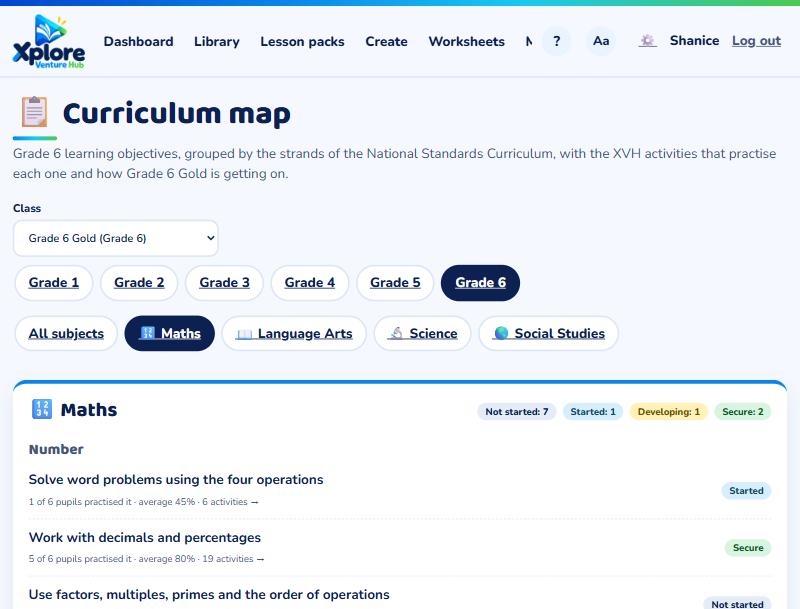
Each objective shows how many activities practise it and, for your class, a status:
- Secure: most pupils have practised it and average 75% or more.
- Developing: 50–74%, or most pupils haven't practised it yet.
- Needs work: under 50%.
- Started: only a few pupils have tried it.
- Not started
Press "N activities →" to see them in the library and assign them.
The objectives are XVH's plain-language summary, organised by the strands of the National Standards Curriculum. Check the Ministry's NSC guides for the exact wording.
To plan by unit instead, see Curriculum units.