
📊 Results and reports
Reading fluency checks
Pupils record themselves reading aloud; you mark mistakes and see words correct per minute.
A reading fluency check shows how accurately and smoothly a pupil reads. There are two passages for each grade in the Library, and you can write your own.
What pupils do
They press Start reading, read the passage aloud while XVH records them, press Stop, listen back if they like, then send it to you. The device needs a microphone, and the browser asks for permission the first time.
Marking
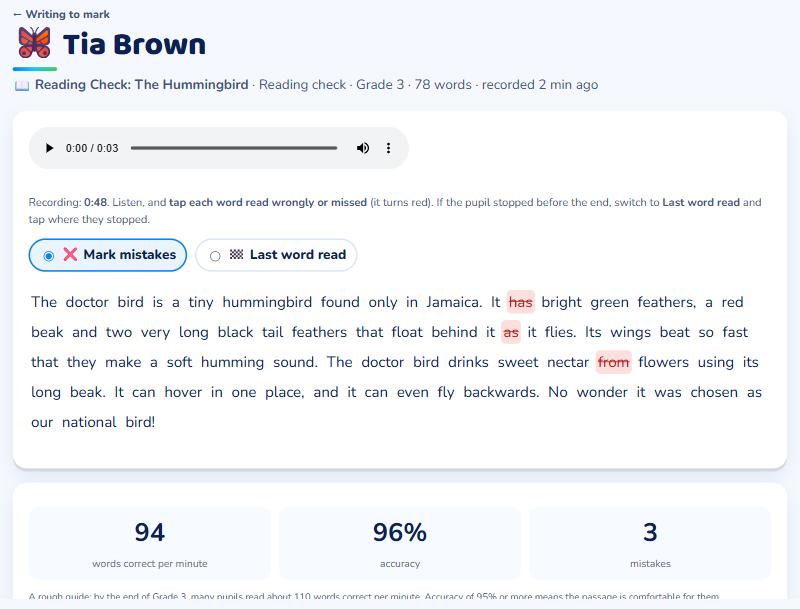
Open the recording in ✍️ Writing to mark. Press play and tap each word read wrongly or missed: it turns red. If the pupil stopped early, switch to Last word read and tap where they stopped. XVH works out:
- Words correct per minute (wcpm), and
- Accuracy: 95% or more means the passage is comfortable; below 90% means it is too hard for now.
Following progress
On your class page, press 📖 Reading fluency to see each pupil's latest wcpm and accuracy, and whether it has gone up since the last check. Try a check once or twice a term.