
📊 Results and reports
Report cards
Write comments, print report cards and share them with parents.
For teachers
Open your class and press 📄 Report cards. Choose the term. For each pupil you'll see their results and a suggested comment to start from. Add your comment and an effort grade, then save.
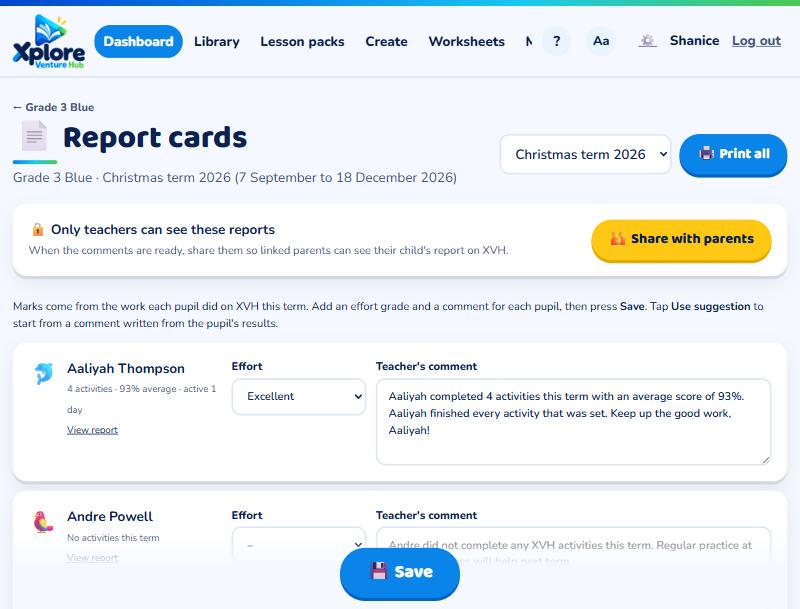
Press Print to print them all, and Share with parents when they're ready. Report cards include subject results, work completed, mock exams, your own mark book assessments, strengths, next steps and your comment.
Term dates
Report cards use your school's term dates. School admins can change them under My school → Term dates.
For parents
When the teacher shares report cards, open your child's page and press Report card.