
📊 Results and reports
The mark book
Keep paper test marks alongside XVH work, with averages and a CSV download.
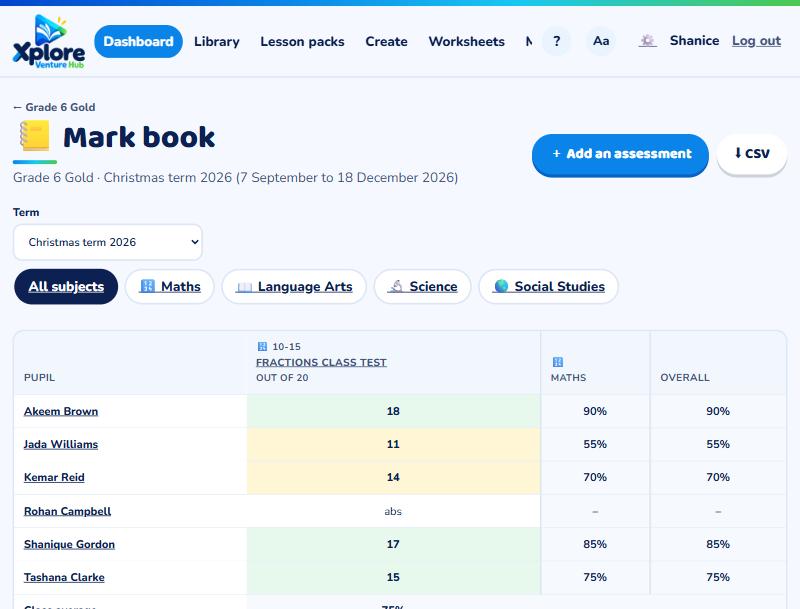
Open your class and press 📒 Mark book. You'll see one grid for the term: pupils down the side, assessments across the top.
Add your own assessment
Press + Add an assessment, give it a name, subject, date and "out of" mark, and choose how much it counts (once, double for an end-of-term test, and so on). Type each pupil's mark (Enter moves to the next pupil). Tick absent if a pupil missed it: it won't count against them.
XVH work
Work you set on XVH appears by itself with each pupil's best score. If something was just practice, press XVH · counts to leave it out of the averages.
Averages and downloads
Each pupil gets a weighted average per subject and overall. Press ⬇ CSV to open it in Excel. Your own assessments also appear on the pupil's report card.