
📊 Results and reports
Track your class's progress
Class averages, pupils who may need help, and the skills to work on.
Open your class and choose the Progress tab.
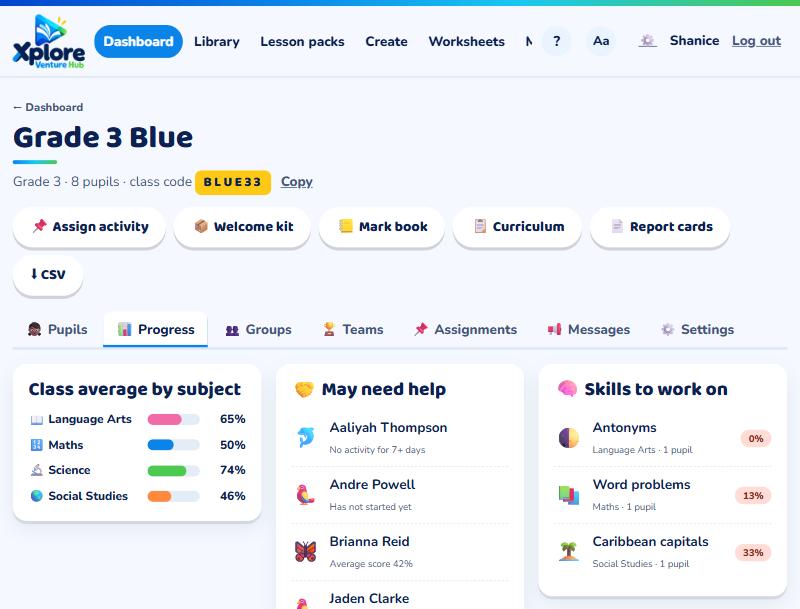
- Class average by subject: how the class is doing in Maths, Language Arts, Science and Social Studies.
- May need help: pupils with low scores or nothing done for a week.
- Skills to work on: the topics the class finds hardest in My Practice.
- Placement check: each pupil's working level (see Placement check).
- Assignment results: a grid of the latest work you set.
Click a pupil's name to see everything they've done, their skills, mock exams and badges.
For marks you collect on paper, use the Mark book.