
📌 Setting work
Creative Arts: drawing, colours, patterns and crafts
The Creative Arts subject: the drawing studio, pictures with stickers, colour lab, patterns, crafts and Jamaican art stories.
Creative Arts is XVH's fifth subject, for every grade. Find it in the Library and assign it like any activity.
What's in it
- 🖌️ Drawing studio: pupils draw or paint to a prompt with a brush, fill bucket, stamps and eraser. Mirror mode copies each stroke onto the other side, for symmetry.
- 🎨 Colour lab: which colour do two paints make? Then add drops of paint to make a colour.
- 🦋 Patterns and symmetry: colour squares to make a mirror image, carry on a pattern, or (Grades 4 to 6) use grid references like B3 to reveal a hidden picture.
- 👗 Madras designer: design a Jamaican madras plaid.
- ✂️ Craft cards: step-by-step crafts to make at home or in class, such as a paper plate Anansi, a Jonkonnu mask or leaf rubbings. Pupils can print the card and press I made it!
- 📖 Art stories: read-along stories about Jamaican art, such as the Taíno artists, Jonkonnu, Edna Manley and Kapo.
- 🖼️ Art quizzes and colour sorting: warm and cool colours, tints and shades, art words and Jamaican art.
- 🥁 Rhythm and music: count claps, pick the rhythm you heard (written as ta, ti-ti and sh), copy a rhythm on the drum, hear whether a note is higher or lower, then make a beat on the drum machine. All the sounds are made by XVH, so pupils need sound on.
- 🎺 Instruments and Jamaican music: sort instruments into families, and quizzes on music words, mento, ska, reggae and more.
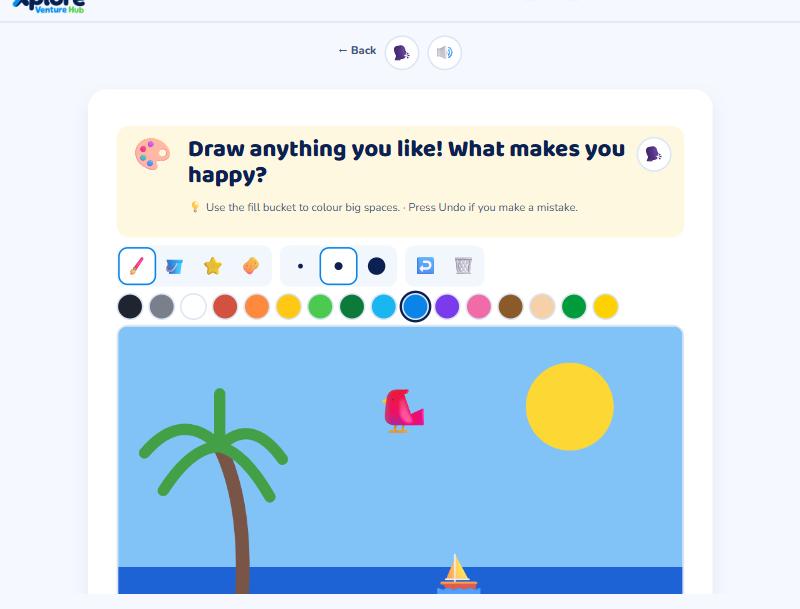
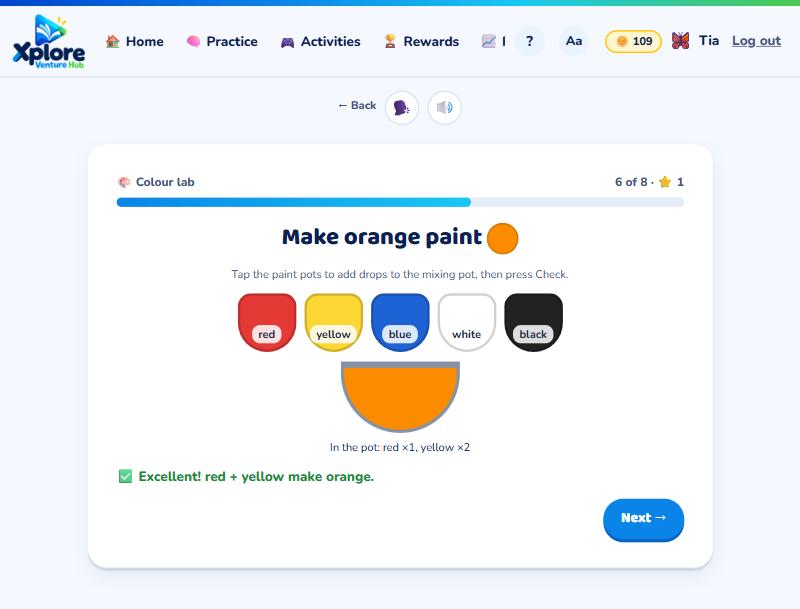
Pictures, stickers and the class gallery
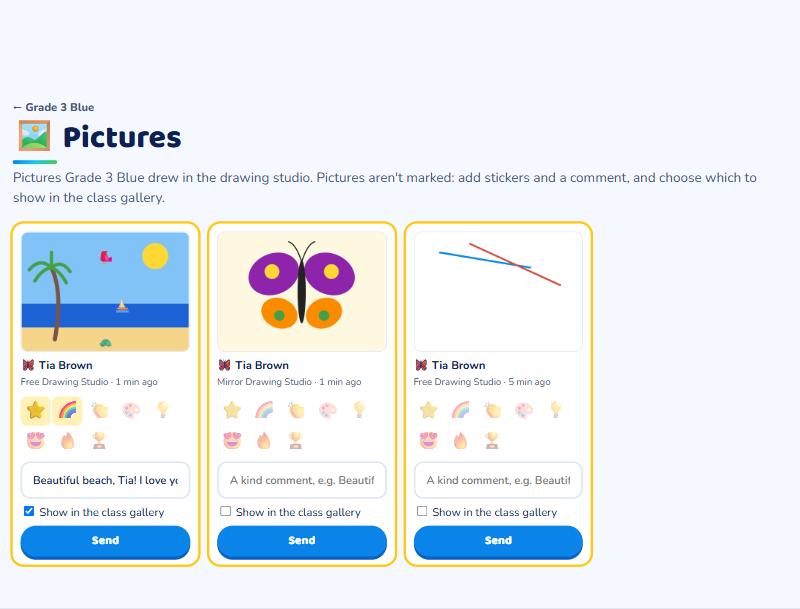
Drawings aren't marked. When a pupil presses Send to my teacher, the picture appears on the class's 🖼️ Pictures page (open the class, then press Pictures). For each picture you can:
- choose up to 4 stickers (⭐ 🌈 👏 🎨 💡 😍 🔥 🏆);
- write a short, kind comment;
- tick Show in the class gallery so classmates can see it.
Press Send: the pupil is told, and sees your stickers and comment on My pictures.
Rewards and results
Sending a picture, or pressing I made it! on a craft card, gives XP and coins and completes the assignment. The colour lab, pattern grids and art quizzes are scored, so they count in the pupil's Creative Arts results and on the curriculum map.