
📌 Setting work
Information Technology: computers, online safety, coding and typing
The Information Technology subject: parts of a computer, staying safe online, the internet and email, files, algorithms, binary, spreadsheets and the typing trainer.
Information Technology is XVH's seventh subject, for every grade. Find it in the Library and assign it like any activity.
What's in it
- 🖥️ Parts of a computer (Grades 1 to 4): the monitor, keyboard, mouse, printer, CPU, storage and more.
- 🔌 Input or output? (Grades 2 to 5): drag each device into the right group.
- 🛡️ Staying safe online (every grade): private information, passwords, scams and pop-ups, cyberbullying, screen time and telling a trusted adult. From Grade 4 it adds strong passwords, viruses, phishing and your digital footprint.
- 🔒 OK to share or keep private? (Grades 2 to 6): sort cards such as "your favourite fruit" and "your home address".
- 🌐 The internet and email (Grades 3 to 6): browsers, search engines, web addresses, email, Wi-Fi, uploading, downloading and the cloud.
- 📁 Files and shortcuts (Grades 3 to 6): sort files into folders by their type (.jpg, .docx, .mp3, .mp4), choose the right program for a task, and learn Ctrl + C, V, Z and S.
- 🧩 Algorithm builder (every grade): put the steps of a task in order, from brushing your teeth (Grades 1 and 2) to sending an email or saving a file.
- 0️⃣ Binary code (Grades 5 and 6): turn binary numbers into normal numbers and back, bits and bytes.
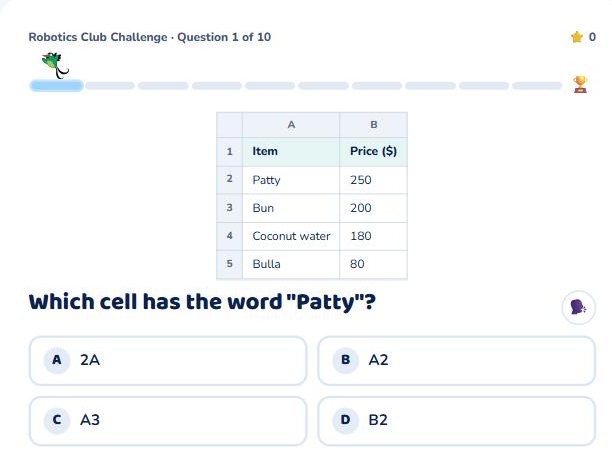
- 📊 Spreadsheets (Grades 4 to 6): read cells like B3 from a small shop spreadsheet, and work out simple formulas such as =B2+B4 and =SUM(B2:B5).
- ⌨️ Typing trainer (every grade): home-row key drills for Grades 1 and 2, Jamaican words for Grade 3, and sentences for Grades 4 to 6.
The typing trainer
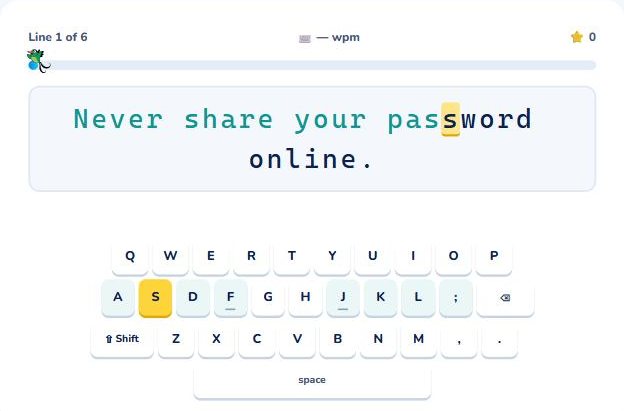
Pupils type each line exactly. The next letter is highlighted, and the matching key glows on the on-screen keyboard (with Shift for capital letters). The home-row keys are shaded, and F and J have little bumps, like a real keyboard.
- Accuracy first: a wrong key doesn't move on. It just counts as a slip, so pupils look for the right key instead of rushing.
- A line earns its star with only a few slips (about one for every 10 letters).
- The results show accuracy and words a minute, plus any lines to practise.
- On a tablet or phone, pupils tap the keys on the screen instead.
Missions and the curriculum
Information Technology activities have their own Hummi missions: the Robotics Club Challenge, the Cyber Safety Squad and App Makers. The coding puzzles (in Maths) also count towards the coding objectives. See the curriculum map for the Information Technology objectives for each grade, and Hummi's missions for how missions work.