
📌 Setting work
Writing tasks and rubric marking
Set a writing task, mark it with the four-part rubric, or ask for a redraft.
XVH has writing tasks for every grade: stories, letters, descriptions, recounts, opinions, reports and instructions. Find them in the Library and assign them like any activity.
What pupils do
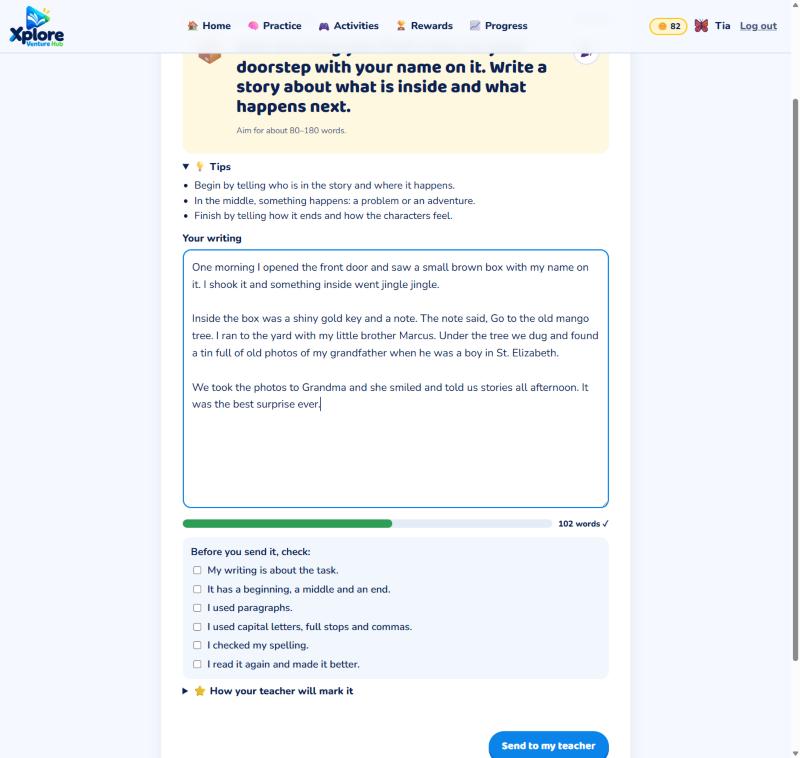
They read the task and tips, write in the box (a word counter shows when they've written enough), tick a short self-check list and press Send to my teacher.
Marking
Open ✍️ Writing to mark. For each piece choose a mark from 1 to 4 for:
- Ideas and content
- Organisation
- Words and sentences
- Spelling, punctuation and grammar
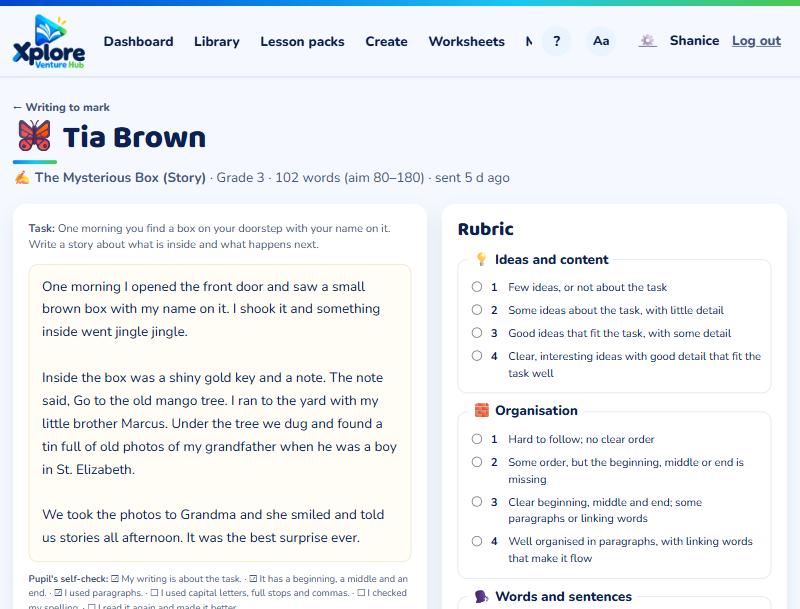
Add a comment and press Save marks (the next piece opens straight away). Or press 🔁 Ask for a redraft with a comment: the pupil improves the same piece and sends it back.
The mark (out of 16) counts in the pupil's Language Arts results and report card.
Parents can mark writing too, for children working at home, from Children's writing on the family page.