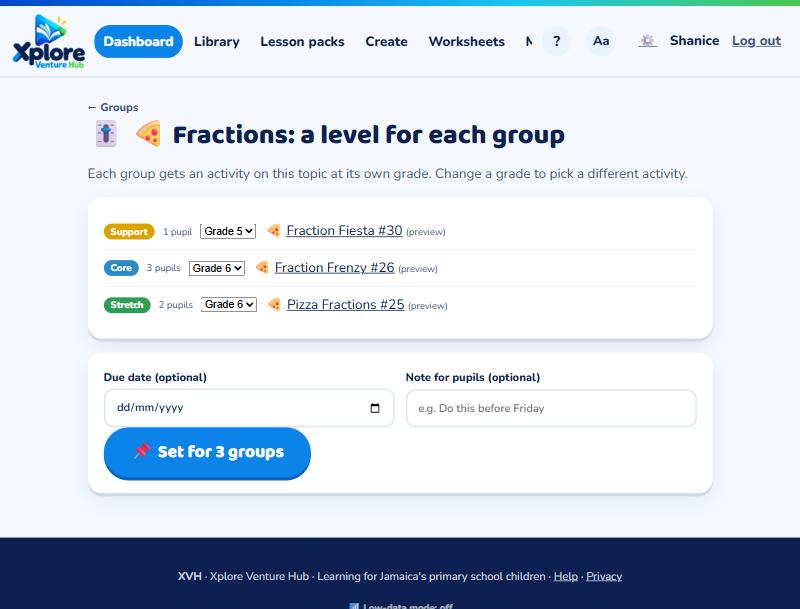
📌 Setting work
Groups by level and setting work by level
Make Support, Core and Stretch groups, then give each group work at its own grade.
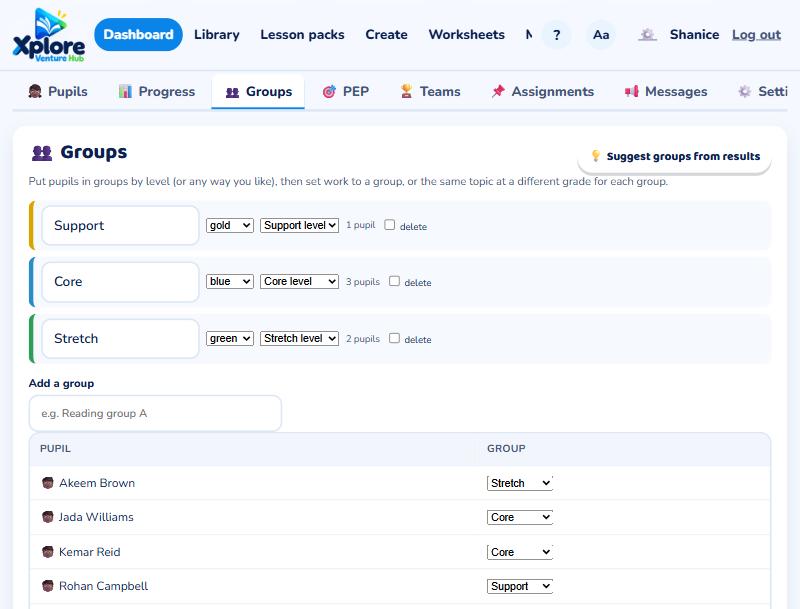
Open your class and choose the Groups tab.
Make groups
- Press 💡 Suggest groups from results. XVH suggests Support, Core and Stretch for each pupil, with the reason (placement check and recent scores).
- Press Use these groups, then move anyone you like and Save groups.
- You can rename groups, change colours, or add your own (for example "Reading group A").
Set work to a group
When you assign an activity, choose Chosen groups.
Same topic, a level for each group
At the bottom of the Groups tab, choose a topic. Each group gets an activity on it at its own grade: Support one grade below the class, Core at the class grade, Stretch one grade above. Check the activities, change a grade if you like, and press Set.