
📌 Setting work
Find and assign activities
Search the library, preview, and set work for the class, a group or chosen pupils.
Find something
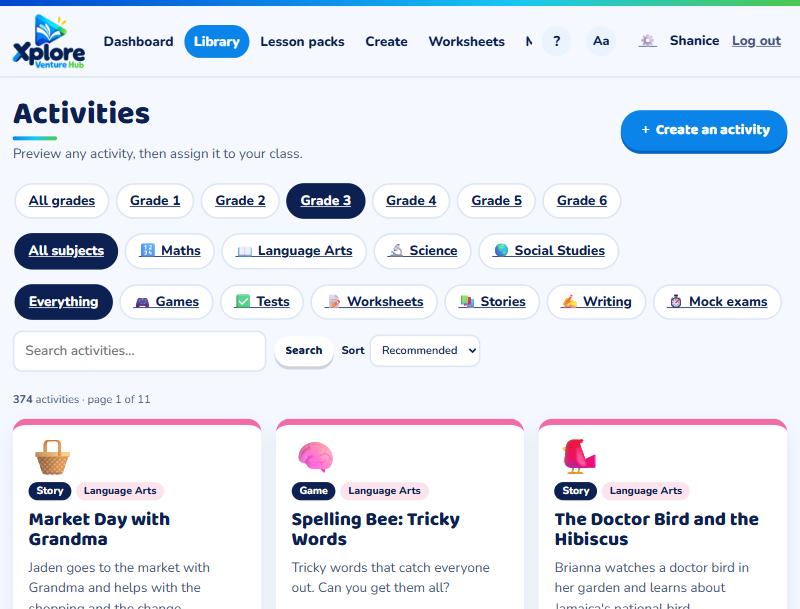
Open the Library. Filter by grade, subject and type (games, tests, worksheets, stories, writing), or search for a topic such as "fractions" or "parishes". Press 👀 Preview to try it yourself first.
Assign it
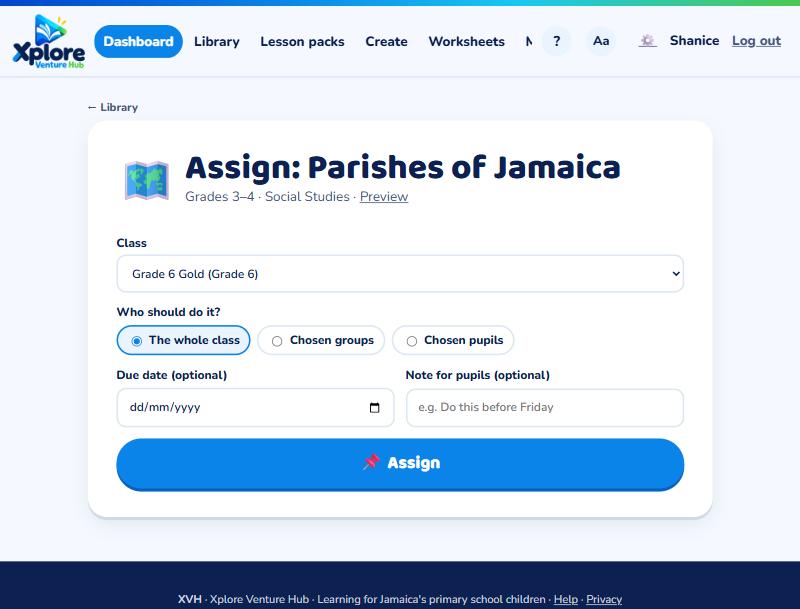
Press 📌 Assign on the activity, then choose:
- The whole class
- Chosen groups (see Groups by level)
- Chosen pupils
Add a due date and a short note if you like. Pupils see it on their home page, and with phone notifications turned on they and their parents get an alert.
See who has done it
Open the class's Assignments tab and choose an assignment to see each pupil's score and how many tries they had.
Tip: XVH adds new activities every morning. Look for "New today" in the library.